

Playables
← All playables
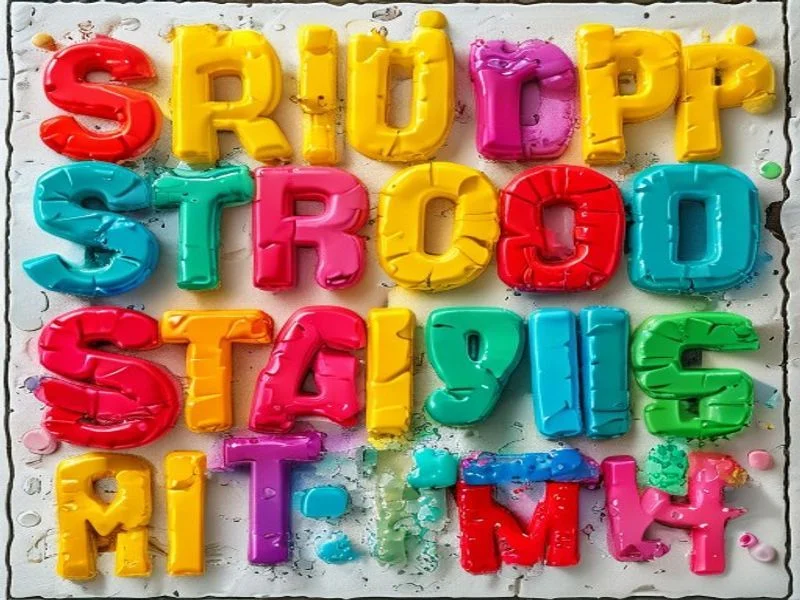
Guess the Colors cover artwork
Playables

Guess the Colors.

Type the ink color of displayed words, not the word itself, in this Stroop test challenge.

READY
Score: 0
Combo: x0
Time: 30s

Tip: type the first letter for faster play (R, B, G, Y, O, P)

How to play Guess the Colors

Goal

Type the ink color of each displayed word, not the word itself. The word may say RED while printed in blue ink; the correct answer is BLUE. Speed and accuracy both matter as the timer counts down.

How to play

A word appears in a colored font. Choose the ink color from the multiple-choice options or type it using your keyboard. Correct answers extend the timer and increase your score streak. Wrong answers deduct time and break your streak.

Strategy

Ignore the word meaning completely and look only at the ink color. Build a mental shortcut for common colors, and use the first letter as a fast tie-breaker when two similar colors are present.

Example

If the word BLUE appears in red ink, the correct choice is RED. If YELLOW appears in yellow ink, the correct choice is YELLOW. The Stroop interference makes this harder than it sounds because your reading reflex pulls you toward the word meaning.

Player instructions

Objective

Type or select the correct ink color for each word as fast as possible.

Desktop controls

Read the displayed word, identify its ink color, then click the matching color button or press the first letter of the color name on your keyboard. Correct answers extend time; wrong answers reduce it.

Mobile & touch controls

Tap the color button that matches the ink color of the word. The buttons are large and spaced for fast thumb play. Keep tapping quickly to build combos and extend the timer.

Winning conditions

The game ends when the timer reaches zero. Your score is based on correct answers, timed bonus points, and longest streak of consecutive correct answers.

Losing conditions

There is no health or lives system. The only failure is running out of time by answering too slowly or making too many mistakes.

Tips for beginners

  • Ignore the word meaning entirely; focus only on the ink color.
  • Use keyboard shortcuts for fast answers; each color has a hotkey.
  • Build speed gradually; accuracy is more important than fast guessing.
  • Watch the timer bar; a small time gain is better than a risky fast tap.
  • Practice the first few seconds warm-up to calibrate your reflexes.
  • Try focusing on the outer edges of letters where color is most saturated.

Guides & strategies

Deep-dive articles to sharpen your Guess the Colors skills.

Understanding the Stroop Effect

Learn why this simple color-naming task is so surprisingly difficult.

What Is the Stroop Effect

The Stroop effect was first described by psychologist John Ridley Stroop in 1935. When people are asked to name the ink color of a word while ignoring the word itself, they slow down and make more errors if the word and color mismatch. That slowing is called Stroop interference.

Why Your Brain Struggles

Reading is an automatic skill that takes years of practice to build. Because you can read so quickly, your brain processes the word meaning before you can consciously choose to focus on the ink color. That competition between automatic reading and controlled color naming creates interference.

Applications in Psychology

Psychologists use Stroop tasks to measure selective attention and executive function. Slower color naming can indicate fatigue, stress, or reduced executive control, making the test a useful tool in cognitive research and clinical screening.

Training Your Attention

You can train attention control with short Stroop sessions. Games like this one force your brain to practice overriding the reading reflex. Over time, regular play can reduce interference and improve response speed under conflict.

Fun With Science

Despite the science behind it, the game is simple and fun. Challenge friends to beat your score, track streaks, and enjoy the friendly competition while your brain gets a workout.

5 Tips for a Higher Score in Guess the Colors

Small adjustments that lead to big point gains.

Trust the Color, Not the Word

The hardest part is ignoring the word. Literally say the color out loud in your head as you see the text. Vocalizing helps suppress the reading reflex and keeps your attention on the ink.

Use Keyboard Shortcuts

Each color button has a keyboard shortcut tied to its first letter. Pressing keys is faster than moving a mouse or tapping a button, so try to play on a physical keyboard when possible.

Protect Your Streak

A streak multiplies your score gain. When the streak is high, play more carefully. When the timer is low, take slightly safer taps to avoid breaking the streak prematurely.

Warm Up Quickly

Start each round by tapping a few easy answers to warm up your color recognition. The first few seconds are the most vulnerable to interference because your brain is still settling into the task.

Track Your Best

Your best score is saved locally. Review it before each session and set a small improvement target. Gradual gains feel satisfying and keep motivation high.

Does This Game Make You Smarter?

Separating marketing hype from actual cognitive science.

Attention Control

Attention control is the ability to focus on relevant information while ignoring distractions. Stroop-style games train this skill by forcing you to ignore the familiar word meaning and focus on the less familiar ink color.

Processing Speed

Processing speed improves with repeated practice. As color recognition becomes more automatic, your reaction time drops. Over weeks of play, you may notice faster responses in other quick-decision tasks as well.

Transfer to Daily Life

The benefits transfer to activities that require ignoring distracting information: reading complex documents, driving in heavy traffic, or studying in noisy environments. Training selective attention in a game generalizes to real focus challenges.

Realistic Expectations

No single game makes you generally smarter. Cognitive gains from brain games are usually domain-specific. Expect better performance on similar tasks, but pair this game with other training for broader improvement.

Play for Progress

The best results come from short, consistent practice. Ten minutes a day is enough to build skill without fatigue. Track your best scores, celebrate improvements, and enjoy the process for its own sake.

Frequently asked questions

How do you play Guess the Colors?

A word appears in a colored font. Click or type the ink color, not the word meaning. Correct answers add score and time; wrong answers reduce time.

What is the Stroop effect?

The Stroop effect is the psychological interference that occurs when your brain reads the word meaning but must respond with the ink color instead. This game is built directly on that effect to challenge attention control.

Does the game get faster?

Yes. As your score rises, the timer drains faster and words appear more quickly, gradually increasing difficulty while keeping it fair.

Can I play on mobile?

Yes. The color buttons are large and responsive, making it easy to play with thumbs on a phone screen. The layout adapts to any size.

What happens if I answer incorrectly?

Incorrect answers deduct time and break your combo streak. Try to maintain accuracy over speed, especially early in the round.

Is there a high score?

Yes. Your best score is saved locally and shown before each new round. Try to beat your record by increasing accuracy and building longer streaks.

What colors are used?

The game uses six basic colors: red, blue, green, yellow, orange, and purple. Each word is displayed in one of these colors, and the answer options match exactly.

Can I change the difficulty?

Difficulty scales automatically with score. The timer tightens and colors become closer in shade. There is no manual difficulty selector, so you are always challenged at your current level.

Why does the game feel so hard?

The Stroop effect creates natural interference between reading and color naming. It takes practice to override the automatic reading reflex, so early rounds feel challenging even for fast readers.

Is Guess the Colors free?

Yes. It runs in the browser with no downloads, no accounts, and no cost. Open the page and start testing your reflexes immediately.

Are there sound effects?

Yes. Correct answers play a pleasant chime and wrong answers play a short buzz. Sound can be toggled on or off from the game controls.

Does the game work offline?

Yes. After the initial load, every round is generated locally. No internet connection is needed afterward.

Is this game suitable for kids?

Yes. The concept is simple and the colors are bright. Supervise younger children who are still learning color names, and encourage them to name colors aloud as they play.

What cognitive skills does this train?

It trains selective attention, response inhibition, processing speed, and cognitive flexibility. Regular play can help you ignore distractions and react faster in daily tasks.

What games are similar?

Fans of this game often enjoy typing games, reaction tests, and cognitive training apps. The Stroop test itself is used in psychology research and educational settings.